

 README

README



 Click A Habit
Daily habit tracker and counter
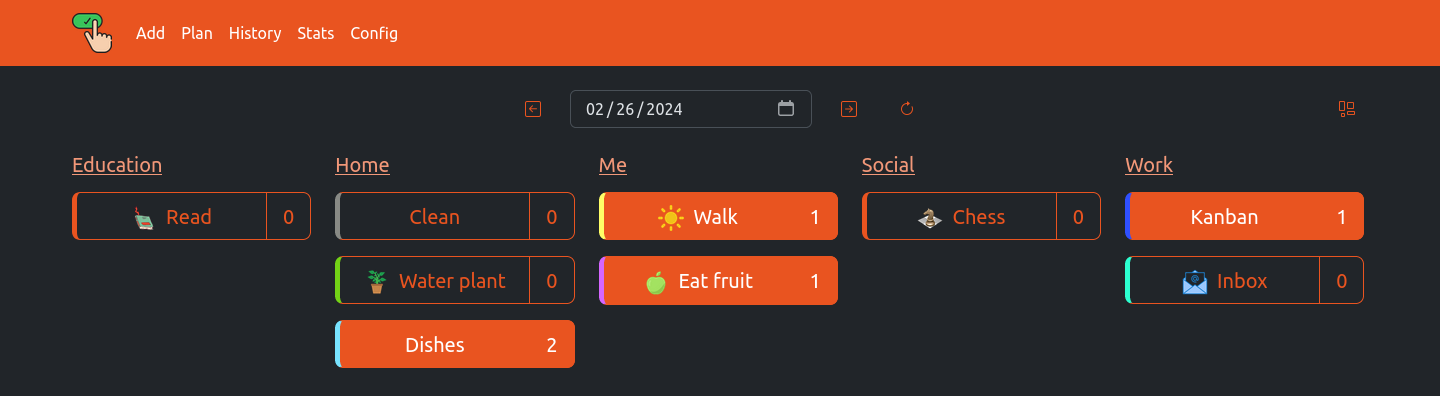
More Themes


Quick start
docker run --name clickahabit \
-e "TZ=Asia/Novosibirsk" \
-v ~/.dockerdata/ClickAHabit:/data/ClickAHabit \
-p 8852:8852 \
aceberg/clickahabit
Or use docker-compose.yml
Config
Configuration can be done through config file or environment variables
| Variable | Description | Default |
|---|---|---|
| HOST | Listen address | 0.0.0.0 |
| PORT | Port for web GUI | 8852 |
| THEME | Any theme name from https://bootswatch.com in lowcase or additional (emerald, grass, sand) | united |
| COLOR | Background color: light or dark | light |
| BTNWIDTH | Adjust buttons to theme | 195px |
| TZ | Set your timezone for correct time | "" |
Options
| Key | Description | Default |
|---|---|---|
| -d | Path to config dir | /data/ClickAHabit |
| -n | Path to local JS and Themes (node-bootstrap) | "" |
Local network only
By default, this app pulls themes, icons and fonts from the internet. But, in some cases, it may be useful to have an independent from global network setup. I created a separate image with all necessary modules and fonts.
docker run --name node-bootstrap       \
    -v ~/.dockerdata/icons:/app/icons  \ # For local images
    -p 8850:8850                       \
    aceberg/node-bootstrap
docker run --name clickahabit \
    -v ~/.dockerdata/ClickAHabit:/data/ClickAHabit \
    -p 8852:8852 \
    aceberg/clickahabit -n "http://$YOUR_IP:8850"
Or use docker-compose
Roadmap
- Auth
- History filter
- Statistics page
Thanks
- All go packages listed in dependencies
- Bootstrap
- Themes: Free themes for Bootstrap
- Favicon and logo: Flaticon
 Directories
Click to show internal directories.
Click to hide internal directories.